How Do AI Design Platforms Help Creators Produce Visual Assets Faster?
Introduction
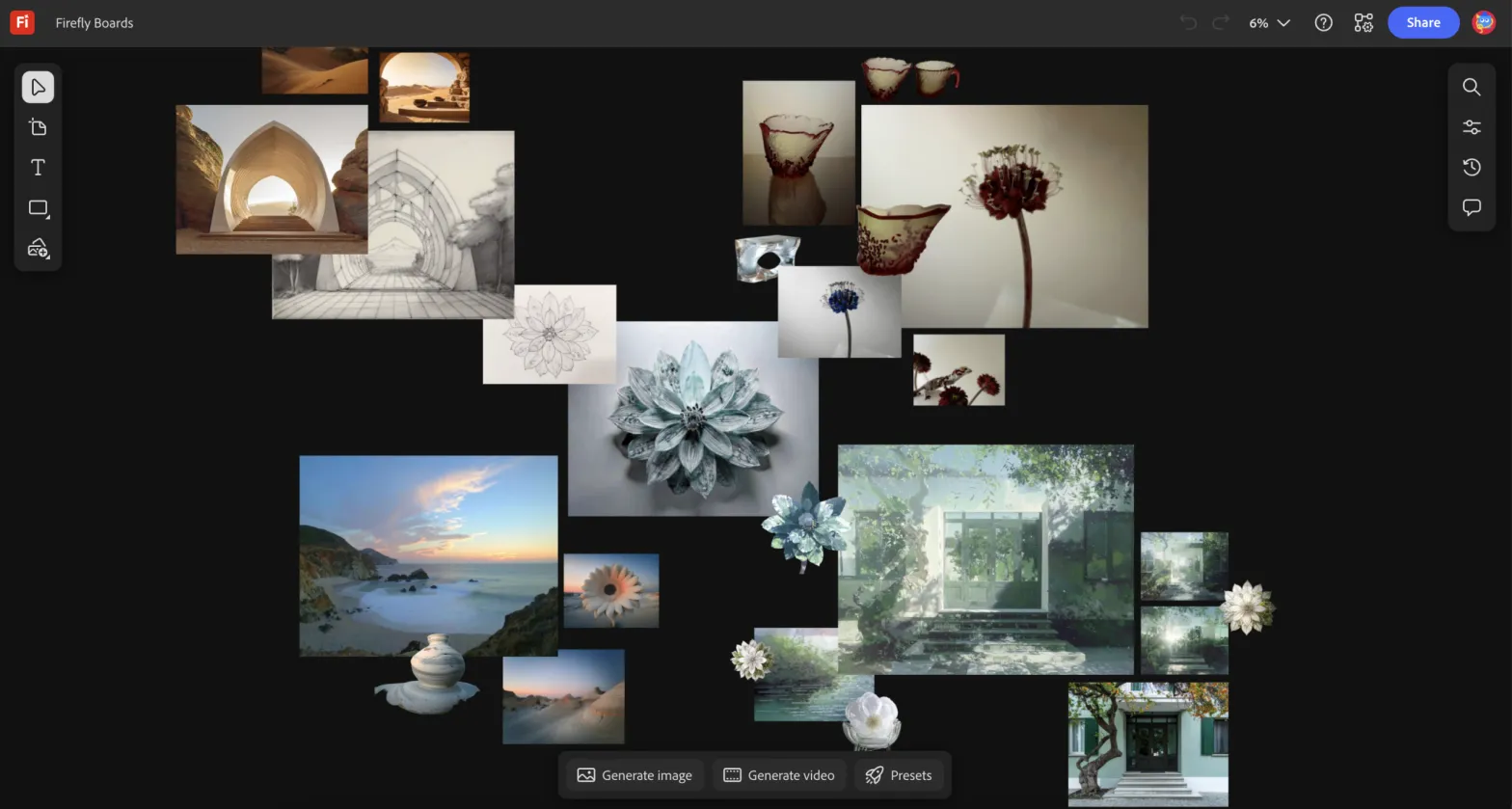
Creating visual assets used to take hours of manual design work. Designers needed advanced software skills, time for experimentation, and multiple revisions before reaching a usable result. Today, artificial intelligence is transforming that process. AI design platforms allow creators to generate logos, social graphics, and branding elements in minutes instead of days.
Tools such as an AI logo generator and automated layout systems help individuals and teams turn ideas into visuals quickly. By combining machine learning with intuitive design interfaces, these platforms simplify complex tasks and remove many technical barriers.
This article explains how AI design platforms accelerate visual creation, what technologies power them, and how creators can use them effectively in modern digital workflows.
What Are AI Design Platforms?
AI design platforms are software tools that use artificial intelligence to assist with visual content creation. They automate tasks such as layout selection, color matching, font pairing, and asset generation.
Instead of designing everything manually, creators provide prompts, preferences, or brand details. The AI then produces ready to edit visual options.
Definition: AI Design Platform
An AI design platform is a digital tool that uses machine learning algorithms to automatically generate or optimize visual content such as logos, graphics, illustrations, or layouts.
Most platforms combine several technologies:
- Generative AI models for image creation
- Pattern recognition trained on large design datasets
- Automated layout and typography systems
- Smart recommendations based on design principles
These features allow creators to produce professional looking assets without deep design expertise.
Why This Matters for Creators
Many businesses, creators, and marketers need frequent visual content for websites, social media, advertising, and product branding. Traditional design workflows can slow production.
AI platforms reduce that friction by providing:
- instant concept generation
- fast iteration cycles
- automated brand consistency
- simplified design tools
Key Takeaway
AI design platforms combine machine learning and automated design systems to generate professional visuals quickly while reducing manual design work.
How AI Automates the Design Process
AI design platforms speed up visual creation by automating steps that designers traditionally perform manually.
Below are several key processes that AI now handles efficiently.
1. Automated Concept Generation
AI can generate multiple visual concepts from simple inputs such as:
- brand name
- industry category
- color preferences
- style keywords
For example, an AI system can instantly produce dozens of logo concepts based on those parameters.
This eliminates the need for lengthy brainstorming and sketching sessions.
2. Smart Layout Suggestions
Design layout requires understanding spacing, alignment, and hierarchy. AI models trained on large design datasets can recognize these patterns.
They automatically arrange elements such as:
- text blocks
- icons
- shapes
- images
This ensures designs look balanced and visually appealing without requiring expert layout knowledge.
3. Color and Typography Matching
Choosing colors and fonts that work well together is another time consuming task. AI systems analyze color theory and typography compatibility to recommend effective combinations.
For example, an AI tool may suggest:
- high contrast color palettes
- accessible typography pairings
- industry appropriate style sets
These suggestions help maintain strong visual identity across assets.
4. Instant Design Variations
Traditional design often requires multiple revisions to test different directions.
AI platforms can generate dozens of variations instantly by adjusting:
- color schemes
- icon styles
- layouts
- typography
Creators can quickly compare options and choose the most effective version.
Key Takeaway
AI accelerates design by automating concept generation, layout creation, typography selection, and design variations.
Why Creators Use AI Design Platforms
The growing popularity of AI design tools comes from several practical advantages. These tools do not replace creativity. Instead, they amplify productivity.
Faster Production Timelines
Speed is the most obvious benefit.
According to a report from McKinsey on generative AI productivity, automation tools can significantly reduce time spent on creative tasks by assisting with early stage concept development.
For creators, that means:
- faster brand asset creation
- quicker campaign launches
- shorter revision cycles
Projects that once required days can now be completed in minutes.
Lower Skill Barriers
Many creators are not trained designers. Yet they still need visuals for:
- personal brands
- startups
- marketing campaigns
- digital products
AI design tools reduce the learning curve by offering guided design processes.
Users can create polished assets without mastering professional design software.
Rapid Iteration
Creative work often involves experimentation. AI platforms enable quick iteration by generating multiple versions instantly.
Creators can test different styles and visual approaches without rebuilding designs from scratch.
Cost Efficiency
Hiring professional designers or agencies for every visual asset can be expensive.
AI tools allow small teams or solo creators to produce quality visuals while controlling costs.
This makes design more accessible to startups and independent creators.
Key Takeaway
Creators adopt AI design platforms because they reduce production time, simplify complex design tasks, and enable fast experimentation.
How an AI Logo Generator Accelerates Branding
Brand identity is one of the first challenges businesses face. A logo must represent the brand clearly while remaining versatile across digital platforms.
Traditionally, logo design involves research, concept sketches, multiple drafts, and feedback rounds.
AI driven tools dramatically simplify this process.
Step 1: Input Basic Brand Information
Users typically provide:
- brand name
- industry type
- visual style preferences
- color choices
Some platforms also ask about brand personality such as modern, playful, minimal, or professional.
Step 2: Generate Logo Concepts
The AI analyzes thousands of design patterns and creates several logo variations instantly.
Each design includes different:
- typography styles
- symbol combinations
- layout structures
This provides a broad starting point for refinement.
Step 3: Customize and Refine
Users can edit generated designs by adjusting:
- colors
- icon styles
- text alignment
- spacing
Because the AI already handles most structural design work, customization becomes quick and intuitive.
Step 4: Export Ready to Use Assets
Once finalized, creators can download logos in multiple formats suitable for:
- websites
- social media
- marketing materials
- product packaging
This streamlined workflow makes branding accessible even to non designers.
Key Takeaway
AI powered logo generation simplifies branding by turning basic brand details into multiple ready to edit logo concepts within minutes.
Practical Ways Creators Use AI Design Platforms
AI design tools support many real world creative workflows.
Below are common use cases.
Social Media Content
Creators often need frequent visual posts. AI tools can generate:
- quote graphics
- promotional banners
- story templates
- thumbnails
Automated layouts and style presets help maintain consistency.
Marketing Campaign Graphics
Marketing teams can quickly create assets for:
- ads
- landing pages
- email campaigns
- product launches
AI helps produce variations for testing different campaign styles.
Website Visuals
Websites require several visual elements such as:
- hero graphics
- icons
- feature illustrations
- banners
AI platforms generate these assets quickly while aligning with the site’s brand style.
For example, resources on branding and automation available on Swiftopoly’s digital strategy insights help creators understand how design tools integrate into broader marketing workflows.
Content Creator Branding
YouTubers, podcasters, and online educators often use AI tools to create:
- channel logos
- thumbnails
- cover art
- brand kits
This allows creators to maintain a consistent visual identity across platforms.
Key Takeaway
AI design tools support everyday creative tasks including social media graphics, marketing visuals, website assets, and personal brand design.
Limitations and Best Practices When Using AI Design Tools
While AI design platforms offer powerful capabilities, they work best when combined with human judgment.
Limitations to Understand
- Generic outputs can occur
AI models rely on existing patterns, which can sometimes produce similar looking designs. - Brand storytelling still requires strategy
AI can generate visuals but cannot fully define brand identity. - Customization is often necessary
Generated designs often require refinement to achieve uniqueness.
Research from Adobe’s Creative Trends reports shows that creators increasingly combine AI assistance with manual editing to achieve distinctive results.
Best Practices for Creators
To get the best results from AI design tools:
- start with clear brand goals
- experiment with multiple prompts or styles
- customize generated designs
- maintain consistent colors and typography
- review designs for originality
Combining AI efficiency with creative direction produces the strongest results.
Key Takeaway
AI tools work best as creative assistants. Human strategy and customization ensure designs remain unique and aligned with brand identity.
FAQs
How do AI design platforms work?
AI design platforms use machine learning models trained on large datasets of visual content. These models analyze patterns in layouts, typography, and color combinations to generate new design options automatically.
Key Point: AI design platforms analyze design patterns and generate visuals automatically based on user inputs.
Can beginners use AI design tools?
Yes. Most AI design platforms are built for accessibility. They provide guided workflows, templates, and automated suggestions that help beginners create professional visuals quickly.
Key Point: AI design tools reduce the technical skills needed to create professional graphics.
Are AI generated logos unique?
AI tools create new combinations of shapes, typography, and layouts. However, creators should customize the results to ensure originality and brand distinction.
Key Point: AI generated logos are starting points that should be refined for uniqueness.
Do AI tools replace professional designers?
No. AI tools assist with repetitive design tasks and concept generation. Professional designers still play an important role in strategy, branding, and creative direction.
Key Point: AI supports designers rather than replacing them.
What types of visuals can AI design platforms create?
AI platforms can generate many types of visual assets including logos, social media graphics, illustrations, website visuals, brand kits, and marketing materials.
Key Point: AI design platforms support a wide range of digital design needs.
Conclusion
AI design platforms are transforming how creators produce visual content. By automating tasks such as layout creation, color matching, and concept generation, these tools drastically reduce the time required to create professional graphics.
Creators can now experiment with ideas quickly, iterate on designs, and produce brand assets without complex software skills. Tools such as AI powered logo generators demonstrate how machine learning can simplify one of the most important parts of branding.
As these technologies continue to evolve, they will likely become a standard part of creative workflows. The most effective creators will be those who combine AI efficiency with human creativity and strategic thinking.
Final Summary
AI design platforms accelerate visual creation by automating concept generation, layout design, and brand asset development, enabling creators to produce professional visuals faster while maintaining creative control.